Message Inspector
Inspect HTML, plain text, headers, and raw MIME for every email
Message Inspector
Kurrier includes a built-in Message Inspector that lets you look beyond the rendered email.
Instead of only displaying what the recipient sees, Kurrier exposes the underlying message structure so developers, QA engineers, support teams, and operators can quickly inspect and debug email without leaving the inbox.
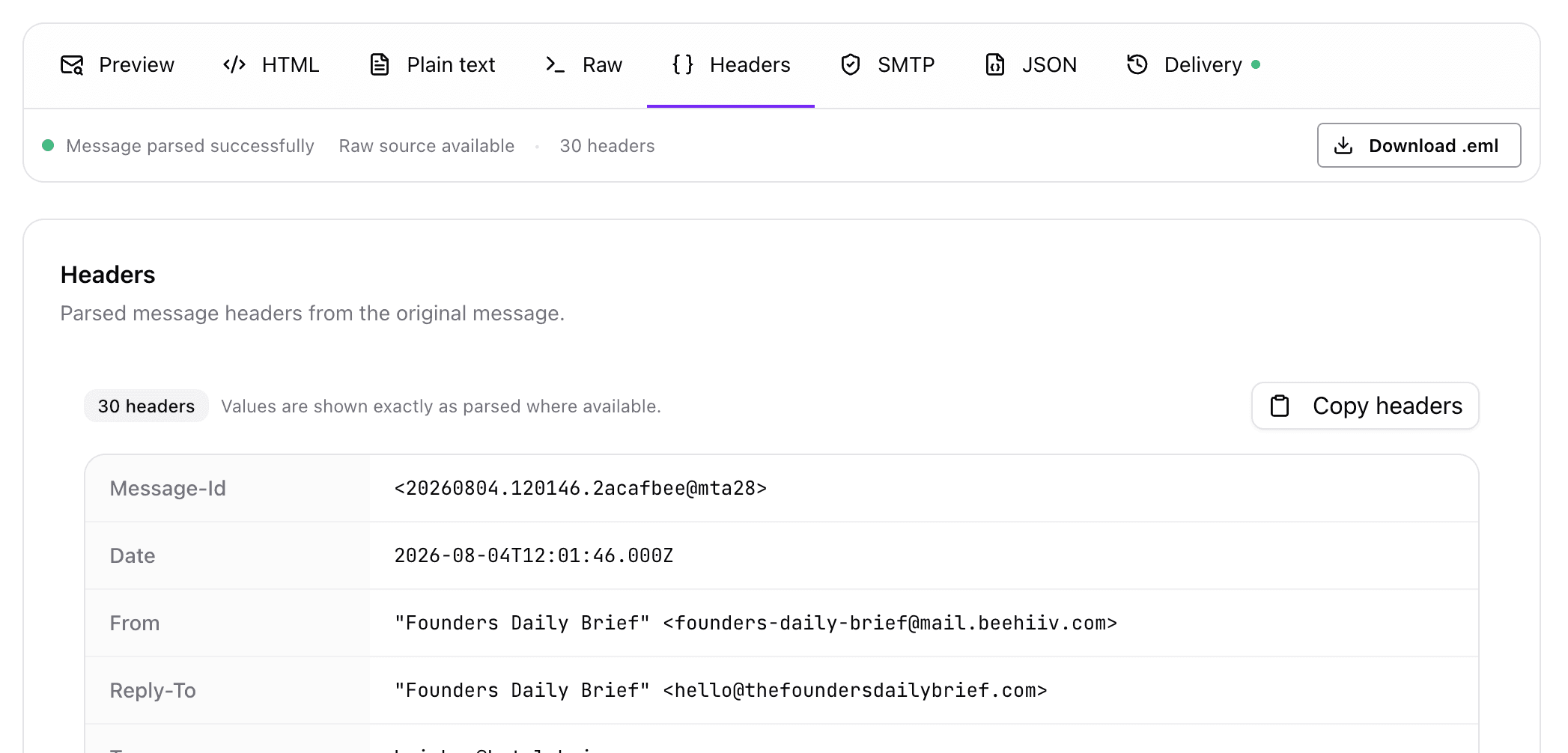
What You Can Inspect
Every message can be viewed in multiple formats.
👀 Preview
The rendered version of the email exactly as recipients see it.
Use Preview when reviewing layouts, images, buttons, typography, and overall appearance.
💻 HTML
Inspect the original HTML body of the email.
Useful for:
- Debugging templates
- Verifying generated markup
- Finding broken links or assets
- Copying HTML for testing
📄 Plain Text
View the text-only version of the message.
Many email clients still display the plain text alternative, making this useful for accessibility and deliverability testing.
📦 Raw MIME
View the complete RFC822 message source.
This includes everything exactly as received by Kurrier:
- MIME boundaries
- Multipart structure
- Attachments
- Encodings
- Content types
The raw source can also be downloaded as an .eml file.
🏷 Headers
Inspect parsed email headers in a readable format.
Headers include information such as:
- From
- To
- CC
- Reply-To
- Subject
- Date
- Message-ID
- MIME-Version
- Content-Type
- User-Agent
- Received headers
This is invaluable when troubleshooting routing or verifying how a message was constructed.
Download Original Email
Kurrier can export the original email as an .eml file.
This preserves the complete message exactly as received, including:
- Headers
- HTML
- Plain text
- Attachments
- MIME structure
The exported file can be opened in virtually any desktop email client.
Why Message Inspector Exists
Most email clients focus on reading and replying.
Kurrier is designed for people who also need to understand email.
Whether you're:
- Building transactional emails
- Debugging templates
- Verifying generated messages
- Investigating customer reports
- Reviewing incoming mail
Message Inspector gives you the information you need without requiring external tools.
Future Enhancements
The open-source edition focuses on inspecting the email itself.
Future releases may include additional inspection capabilities such as:
- SMTP transaction details
- Parsed JSON representation
- Delivery timeline
- SPF, DKIM, and DMARC analysis
- Provider-specific delivery events
- Message routing visualization
Summary
Message Inspector makes every email transparent.
Instead of treating email as a black box, Kurrier lets you inspect the underlying message, verify exactly what was sent, and troubleshoot issues from a single interface.